
Problem
When trying to scan wirelessly with a Canon Multifunction printer / scanner in MP Navigator, you get the following error:
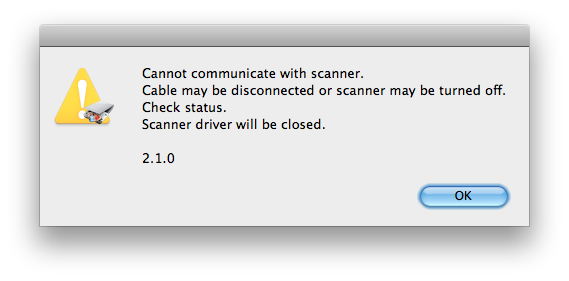 “Cannot communicate with scanner.
Cable may be disconnected or scanner may be turned off.
Check status.
Scanner driver will be closed.
2.1.0”
Cause
The incorrect driver is selected in MP Navigator.
Solution
- In MP Navigator, click the Preferences button (top or bottom right corner).
- Make sure the first tab is selected.
- In the dropdown containing your scanner there should be more than one item. Change it to a scanner with a similar name to what is currently selected. This should be the wireless driver.
- Click OK and try scanning again.
Thanks!!! That did the trick!
Wow! It’s really that easy! Thanks a whole bunch, a simple solution that actually works! Why isn’t this the first link on google!?
Thanks a lot, worked for my PIXMMA499, cannon support is terrible, these things drive people nuts!
As the others said…Thanks!!! With your help and a short Google search, my frustration was short-lived!
Thanks so much. After downloading every possible bit of software from Canon and a good 35mins trying to scan, you’ve fixed my problem in 2secs!!
Honestly thanks so much! I also installed every single driver and software from Canon and didn’t understand where the problem was. This fixed the problem and scanning is back online! What a relief.
THANKS! That works like a charm!
Slick. Thanks
That was awesome (and so simple)! I have been trying to fix this for almost an hour and have downloaded heaps or drivers etc from Canon!
THANKS!!
Thank you! This was driving me crazy, haha. This did the trick.
Yeah, all this time wasted! 15 second fix and BOOM! I’m in.
Thank you, thank you, thank you! So helpful.
You are my computer god of the day!
I join the choir of thankful subjugates. Thanks a lot for this very helpful fix 🙂
Me too!!!! I have spent several hours trying to get my printer to scan wirelessly. You are my hero!!!!
fan-tas-tic !
finally this does the trick after 1 hour struggling with this @#!8&@~$ !
thank you so much
another voice in the thank you choir!
Struggled with this on a couple of macs for at least half a day – and then finally found this page. Thank-you very much, I really appreciate your post!
Been searching and installing stuff for hours until I found this. Fixed the problem right away. Thank You!!
Thank you so much! This solved the same problem for me.
Thank you. Solved the problem straight away.
Thanks!!! It is so easy when you know what you are doing!!! I spent all day and after saw this, done!!!
Thanks so much for the help! I was so frustrated! The fix was simple!
THANK YOU! This helped me today. I have a Canon MG6150 and a Macbook Air running OS/X 10.7.5 and was having a problem getting them to talk to each other.
Brand new to mac – where do I find MP navigator on my mac? Having this issue exactly.
It will be found in your applications folder when you installed the drivers for your printer.
Thanks!
Wow. This really works. I searched the internet for such a long time and finally found this link. As someone else said earlier, this should be the first one to come up on Google.
Woo Hoo! This has plagued me for years. Sometimes it would connect, sometimes not. It was infuriating, frustrating and vexing. Thank you for this beautiful, simple fix.
Lifesaver! Thank You!
Same problem with Macair — the Navigator preferences does not yield anything to do with the scanner. I loaded the scanner from CAnon but still get this error message and my Navigator preferences window has no scanner lists. ?????
Janet
Brilliant!
Thank you for saving me loads of time! Worked like a charm!
Thank you so much!
Hello, I would love to share the same result as everyone here. I have a 9000F model and it’s only giving me one option. I can’t change it. I would appreciate if anyone would help out. Thanks.
thanks. it works!
Thanks. It works!
Thank you a million times!! Your instructions worked perfectly!