
Problem
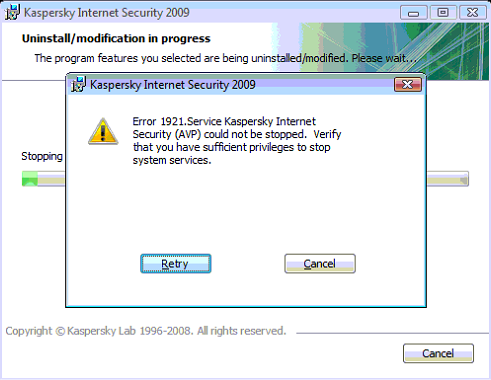
When uninstalling Kaspersky Internet Security you get the following error:
Solution
- Press Ctrl+Shift+Esc to bring up the Task Manager.
- Click the Processes tab.
- Click the “Show processes from all users” button or checkbox.
- Click on the text “Image Name” (usually at the top of the first column) to sort the processes alphabetically.
- Click on “avp.exe”.
- Click the “End Process” button.
- Click Yes.
- Repeat steps 5-7 for any other processes called “avp.exe”.
- Click the “Retry” button on the Kaspersky uninstaller.
It works!!!! I was trying to install the Pure but encountered this error when uninstall the 7.0 at my XP Profession 2002 SP3
wao it works..thanks so much saved alot
Thanks
This works! you definitely make my day! i used this on KAV 6.0 and works like a charm!
THANK YOU.IT WORKS
Thanks, great solution.